Maestro – Cross-Chain Telegram Bot for Sniping, Copy Trading & Anti-Rug Protection

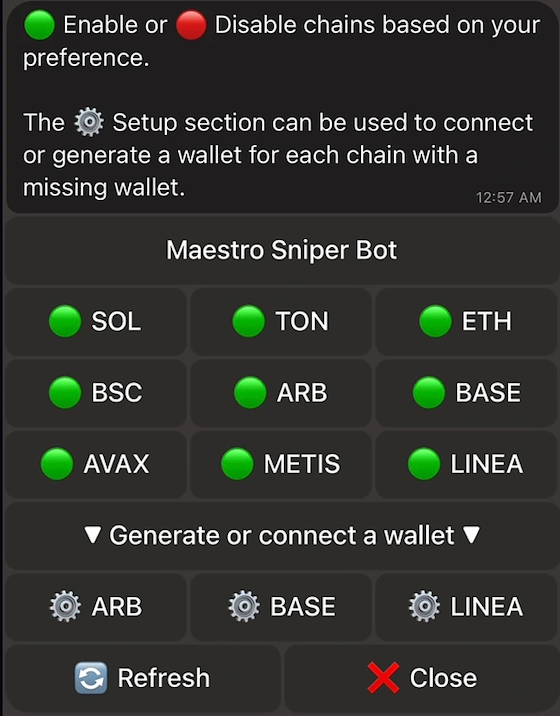
Maestro https://t.me/maestro?start=r-sol_box is a multi-chain trading bot built for Telegram, supporting Solana, Ethereum, Tron, Base, Arbitrum, and more. It offers a powerful suite of tools for sniping, copy trading, presale participation, and wallet tracking—all accessible via simple Telegram commands. With features like GodMode, Anti-Rug, and call-channel scraping, Maestro empowers traders to act fast, stay secure, and automate strategies across chains.
Maestro Key Features
1 — Sniper Bot
Auto-snipe token launches with spend limits and Anti-Rug protection. Supports Solana, Ethereum, Base, Arbitrum, and more.
2 — Copy Trading
Mirror trades from whales or trusted wallets. Configure filters and priority logic for precision.
3 — Limit Orders
Set buy/sell targets and automate execution. Includes trailing TP/SL and dip-buy logic.
4 — Wallet Tracker
Import wallets and monitor on-chain behavior. Get alerts for price changes and token movements.
5 — Multi-Wallet Support
Create, import, and switch between wallets. Premium users can manage up to 10 wallets simultaneously.
6 — MEV Protection
Enable Anti-MEV to avoid frontrunning and failed transactions. Works across supported chains.
7 — Referral Program
Invite users and earn rewards. Referral links unlock fee discounts and bonus features.
Getting Started with Maestro

Set up and activation
Quick step-by-step guide to set up the bot, fund a wallet and start sniping safely.
Step 1. Join Maestro Telegram
Time: 2 minutes · Difficulty: Easy
Open the Maestro Telegram and send /start to activate the bot. That unlocks the command menu and basic features.
Step 2. Create or Import a Wallet
Time: 2 minutes · Difficulty: Easy
Use /sniper → wallets → sol → generate to create a new SOL wallet, or pick “Import” and paste your private key. Save your seed phrase and private keys securely right away.
Step 3. Fund Your Wallet
Time: 2 minutes · Difficulty: Easy
Run /wallets to show your receiving address, then send SOL or wrapped SOL (wSOL) to that address. Double-check the address before sending.
Step 4. Configure Trading Strategy
Time: 5 minutes · Difficulty: Intermediate
Set auto-snipe thresholds, enable Telegram scraping, add wallets to copy, and configure limit orders and alerts. Start with conservative settings and test on small amounts.
Step 5. Monitor and Manage
Time: 5 minutes · Difficulty: Easy
Use /positions to check open trades, review performance, and adjust global settings or copy rules as needed.
Pro Tips
- Start Small. Use the Standard tier first to test sniping and wallet features before upgrading.
- Secure Keys Immediately. Save your private keys and seed phrase right after generating a new wallet (
/sniper → wallet → generate). - Tune Slippage & Gas. Set slippage and gas delta carefully to protect trades and reduce failed transactions.
Maestro Summary
Maestro is a Telegram-native, multi-chain trading bot that supports Solana, Ethereum, Base, Arbitrum, and more. It offers sniper automation, copy trading, wallet tracking, and presale participation—all controllable via Telegram commands. With features like GodMode, Anti-Rug, and call-channel scraping, Maestro gives traders the tools to act fast and stay protected. Its free tier includes core features with a 1% transaction fee, while the premium plan unlocks faster execution, multi-wallet support, and priority trading logic.
